<?xml version="1.0" encoding="utf-8"?><feed xmlns="http://www.w3.org/2005/Atom" ><generator uri="https://jekyllrb.com/" version="3.10.0">Jekyll</generator><link href="https://imagexd.github.io/2017/feed.xml" rel="self" type="application/atom+xml" /><link href="https://imagexd.github.io/2017/" rel="alternate" type="text/html" /><updated>2026-11-18T01:06:49+00:00</updated><id>https://imagexd.github.io/2017/feed.xml</id><title type="html">ImageXD</title><subtitle>Image processing across domains</subtitle><entry><title type="html">Tutorial materials</title><link href="https://imagexd.github.io/2017/2017/03/20/tutorial-materials.html" rel="alternate" type="text/html" title="Tutorial materials" /><published>2017-03-20T00:00:00+00:00</published><updated>2017-03-20T00:00:00+00:00</updated><id>https://imagexd.github.io/2017/2017/03/20/tutorial-materials</id><content type="html" xml:base="https://imagexd.github.io/2017/2017/03/20/tutorial-materials.html"><![CDATA[<hr />
<h2 id="format">Format</h2>

<p>The tutorials consist of lecture segments, demos, and hands-on
exercises.  We strongly encourage you to bring a laptop with all the
required packages installed in order to participate fully.</p>

<hr />
<h2 id="data">Data</h2>

<p>Some of the tutorials will be using a data-set of cell images kindly provided by
Maryana Alegro (UCSF). The data is available to download
<a href="/2017/assets/cells.tar.gz">here</a>.</p>

<p>The Azure tutorial will use an image data-set described
<a href="https://dani-lbnl.github.io/ImageXD_2017/">in this webpage</a>. Please use the
link on the page to download the data.</p>

<hr />
<h2 id="software">Software</h2>

<h3 id="python-for-science">Python for Science</h3>

<ul>
  <li>
    <p>Python</p>

    <p>If you are new to Python, please install the
<a href="https://www.continuum.io/downloads">Anaconda distribution</a> for
<strong>Python version 3</strong> (available on OSX, Linux and Windows).
Or, feel free to use your favorite distribution, but
please ensure the requirements below are met:</p>

    <ul>
      <li><code class="language-plaintext highlighter-rouge">numpy</code> &gt;= 1.11</li>
      <li><code class="language-plaintext highlighter-rouge">scipy</code> &gt;= 0.18</li>
      <li><code class="language-plaintext highlighter-rouge">matplotlib</code> &gt;= 2.0</li>
      <li><code class="language-plaintext highlighter-rouge">skimage</code> &gt;= 0.12</li>
      <li><code class="language-plaintext highlighter-rouge">sklearn</code> &gt;= 0.18</li>
      <li><code class="language-plaintext highlighter-rouge">dask</code> &gt;= 0.14</li>
      <li><code class="language-plaintext highlighter-rouge">keras</code> &gt;= 1.2</li>
      <li><code class="language-plaintext highlighter-rouge">tensorflow</code> &gt;= 1.0</li>
      <li><code class="language-plaintext highlighter-rouge">notebook</code> &gt;= 4.0</li>
    </ul>

    <p>In Anaconda, install these packages with:</p>

    <div class="language-plaintext highlighter-rouge"><div class="highlight"><pre class="highlight"><code>conda install numpy scipy matplotlib jupyter scikit-image scikit-learn dask
pip install conda tensorflow  # or tensorflow-gpu if you have an Nvidia graphics card
</code></pre></div>    </div>

    <p>In any other Python distribution, use pip:</p>

    <div class="language-plaintext highlighter-rouge"><div class="highlight"><pre class="highlight"><code>pip install numpy scipy matplotlib jupyter scikit-image scikit-learn dask keras tensorflow  # or tensorflow-gpu if you have an Nvidia graphics card
</code></pre></div>    </div>

    <p>In the next section below, we provide a test script to confirm the
version numbers on your system.</p>
  </li>
</ul>

<h3 id="test-your-setup">Test your setup</h3>

<p>Please run
<a href="https://raw.githubusercontent.com/imagexd/2017-tutorials/master/check_setup.py">this test script</a>
to verify your package versions.</p>

<p>E.g., on my computer, I see:</p>

<div class="language-plaintext highlighter-rouge"><div class="highlight"><pre class="highlight"><code>$ python check_setup.py
[✓] numpy         1.12.1
[✓] scipy         0.19.0
[✓] matplotlib    2.0.0
[✓] notebook      4.3.1
[✓] scikit-image  0.13dev
[✓] scikit-learn  0.18.1
[✓] dask          0.14.0
[✓] tensorflow    1.0.0
Using Theano backend.
[✓] keras         2.0.2
</code></pre></div></div>

<p>To update a package, use:</p>

<div class="language-plaintext highlighter-rouge"><div class="highlight"><pre class="highlight"><code>conda upgrade package_name          # for conda
pip install --upgrade package_name  # for pip
</code></pre></div></div>

<p><strong>If you do not have a working setup, please contact the instructors.</strong></p>

<h3 id="imagej">ImageJ</h3>

<h4 id="fiji">Fiji</h4>

<p>Installation instructions are available <a href="http://fiji.sc/#download">here</a></p>

<p>For this demo we will use samples that will be fetched from the <a href="https://imagej.net">imagej.net</a> site through the application, so no separate downloads are required.</p>

<h4 id="imagej-notebooks">ImageJ Notebooks</h4>

<p>We encourage downloading Beaker and opening the ImageJ tutorials notebook prior to the tutorial. This will automatically fetch the necessary dependencies.</p>

<p>Recently the ImageJ community has begun using Beaker Notebook for interactive coding. Beaker is like Jupyter notebook, but is built upon the JVM. It has some unique features that are a bit more challenging to incorporate into Jupyter notebook; in particular, Beaker is a polyglot notebook where switching between languages within a single notebook while maintaining access to the same scope/variables.</p>

<p>Beaker installation instructions are available <a href="http://beakernotebook.com/getting-started?scroll">here</a> (only the “base install” is required).</p>

<hr />
<h2 id="lecture-materials">Lecture materials</h2>

<h3 id="numpy-scipy-matplotlib-scikit-image">Numpy, Scipy, Matplotlib, Scikit-image</h3>
<p>There are two ways of downloading the lecture materials:</p>

<p>a) Get the <a href="https://github.com/imagexd/2017-tutorials/archive/master.zip">ZIP file from GitHub</a></p>

<p>b) Clone the repository at
   <a href="https://github.com/imagexd/2017-tutorials">https://github.com/imagexd/2017-tutorials</a></p>

<h3 id="imagej-1">ImageJ</h3>
<p>We will work through the ImageJ beaker tutorial from the imagej-tutorials github repository, which can either be checked out from the repository:
<a href="https://github.com/imagej/tutorials">https://github.com/imagej/tutorials</a></p>

<p>Or downloaded directly with this <a href="https://github.com/imagej/tutorials/raw/master/ImageJ%20Tutorials%20and%20Demo.bkr">link</a></p>

<h3 id="image-classification-using-azure">Image Classification using Azure</h3>

<p>In this tutorial, we will build an SVM based image classifier using Azure
Machine Learning. You will learn how to use Azure storage, get familiar with the
Azure portal, and with Azure Machine Learning. Participants will be given $500
worth of Azure credits that will be valid for one month</p>

<p><em>Please download the latest version of the material on the morning of the
tutorials to be sure you have all updates.</em></p>]]></content><author><name>Ariel Rokem</name></author><summary type="html"><![CDATA[Format]]></summary></entry><entry><title type="html">ImageXD 2017, The University of Washington eScience Institute, March 29th-31st</title><link href="https://imagexd.github.io/2017/2017/01/09/plans-for-round-2.html" rel="alternate" type="text/html" title="ImageXD 2017, The University of Washington eScience Institute, March 29th-31st" /><published>2017-01-09T00:00:00+00:00</published><updated>2017-01-09T00:00:00+00:00</updated><id>https://imagexd.github.io/2017/2017/01/09/plans-for-round-2</id><content type="html" xml:base="https://imagexd.github.io/2017/2017/01/09/plans-for-round-2.html"><![CDATA[<p>Following the success of <a href="https://imagexd.github.io/2016/2016/06/21/inaugural-workshop.html">last year’s ImageXD meeting at
BIDS</a>, we are
organizing a second workshop at the <a href="http://escience.washington.edu">University of Washington eScience Institute</a>
March 29-31,2017.</p>

<p>The workshop will follow the three-day format of the workshop from last year
with each day focused on a different activity:</p>

<h3 id="learn">Learn</h3>

<p>On Day 1 (Wednesday, March 29), four tutorials are planned:</p>

<ul>
  <li>
    <p><a href="http://scipy.org">NumPy, SciPy, and Matplotlib</a>, an introduction to numerical analysis with Python.</p>

    <p>This tutorial is aimed at those familiar with Python, but who have not used NumPy, SciPy,
and Matplotlib extensively before.</p>
  </li>
  <li>
    <p><a href="https://www.tensorflow.org/">TensorFlow</a>, neural networks in Python.</p>

    <p>In this tutorial we learn how to train a neural network using the TensorFlow library, and how to
then apply it to real-world data.</p>
  </li>
  <li>
    <p><a href="http://scikit-image.org/">scikit-image</a>, image processing in Python.</p>

    <p>We introduce the scikit-image library, demonstrate its various capabilities, and
do several hands-on exercizes to practice its use.</p>
  </li>
  <li>
    <p><a href="https://imagej.nih.gov/ij/">ImageJ</a>, image processing in Java.</p>

    <p>We explore ImageJ and its SciJava interface with examples in Python and Clojure.</p>
  </li>
  <li>
    <p><a href="https://www.microsoft.com/en-us/research/people/vanim/">Vani Mandava</a> from Microsoft Research will present image processing use-cases of the <a href="https://azure.microsoft.com/">Azure</a> cloud.</p>
  </li>
</ul>

<h3 id="discuss">Discuss</h3>

<p>On Day 2 (Thursday, March 30), selected speakers will share their expertise.</p>

<h4 id="schedule">Schedule:</h4>

<p>9:00 Welcome</p>

<p>9:15 - 9:45 <a href="http://www1.icsi.berkeley.edu/~stellayu/">Stella Yu</a>, The University of California, Berkeley: <a href="/2017/presentations/Stella_Yu.pdf"><strong>Learning to See the Image</strong></a></p>

<p>9:45 - 10:15 <a href="http://vis.lbl.gov/~tperciano">Talita Perciano</a>, Lawrence Berkeley National LaboratorY: <a href="/2017/presentations/ImageXD_Perciano.pdf"><strong>Image Segmentation Across Domains using Parallel Markov Random Field Technique</strong></a></p>

<p>10:30 - 12 Breakout sessions</p>

<p>12:00 - 1 : Lunch break</p>

<p>1 - 1:30 <a href="http://kyleharrington.com/">Kyle Harrington</a>, University of Idaho: <strong>Biological Image Analysis using the ImageJ/Fiji Software Ecosystem</strong></p>

<p>1:30 - 2:00 <a href="http://homes.cs.washington.edu/~kemelmi/">Ira Kemelmacher-Shlizerman</a>, The University of Washington: <strong>Modeling people from historical photos</strong></p>

<p>2:00 - 2:30 Claire McQuin, Broad Institute: <a href="https://www.slideshare.net/ClaireMcQuin/developing-high-content-image-analysis-software-for-biologists"><strong>Developing High Content Image Analysis Software for Biologists</strong></a></p>

<p>2:30 - 3 <a href="https://www.alleninstitute.org/what-we-do/brain-science/about/team/staff-profiles/lydia-ng/">Lydia Ng</a>, Allen Institute for Brain Science: <a href="/2017/presentations/LydiaNg.pdf"><strong>Delivering data, tools and knowledge on brain cell types, connections and activity</strong></a></p>

<p>3:15 - 3:45 <a href="http://research.majuric.org/public/">Mario Juric</a>, The University of Washington: <a href="/2017/presentations/ImageXD-Astronomical-Image-Processing-Presented.pdf"><strong>Object Detection in Astronomy: Current Practice &amp; Challenges Going Forward</strong></a></p>

<p>4 - 4:45 : Breakout sessions</p>

<p>4:45 Wrap-up for the day</p>

<p>5 : reception</p>

<h3 id="create">Create</h3>

<p>On Day 3 (Friday, March 31), we will get together to work in teams to develop ideas opportunities
in data, software, algorithms, and learning. This open format will allow
participants to learn from each other, work together and explore concepts that
cross domain boundaries.</p>]]></content><author><name>Ariel Rokem</name></author><summary type="html"><![CDATA[Following the success of last year’s ImageXD meeting at BIDS, we are organizing a second workshop at the University of Washington eScience Institute March 29-31,2017.]]></summary></entry><entry><title type="html">Inaugural meeting, UC BIDS, June 7th-9th, 2016</title><link href="https://imagexd.github.io/2017/2016/06/21/inaugural-workshop.html" rel="alternate" type="text/html" title="Inaugural meeting, UC BIDS, June 7th-9th, 2016" /><published>2016-06-21T00:00:00+00:00</published><updated>2016-06-21T00:00:00+00:00</updated><id>https://imagexd.github.io/2017/2016/06/21/inaugural-workshop</id><content type="html" xml:base="https://imagexd.github.io/2017/2016/06/21/inaugural-workshop.html"><![CDATA[<p>Incredible advances are being made in image processing techniques and tools, but
the researchers who use them typically don’t have the opportunity to communicate
with others who work on similar problems in different domains. ImageXD was
founded by Berkeley and Washington partners from the Moore-Sloan Data Science
Environments (MSDSE) to address these challenges.</p>

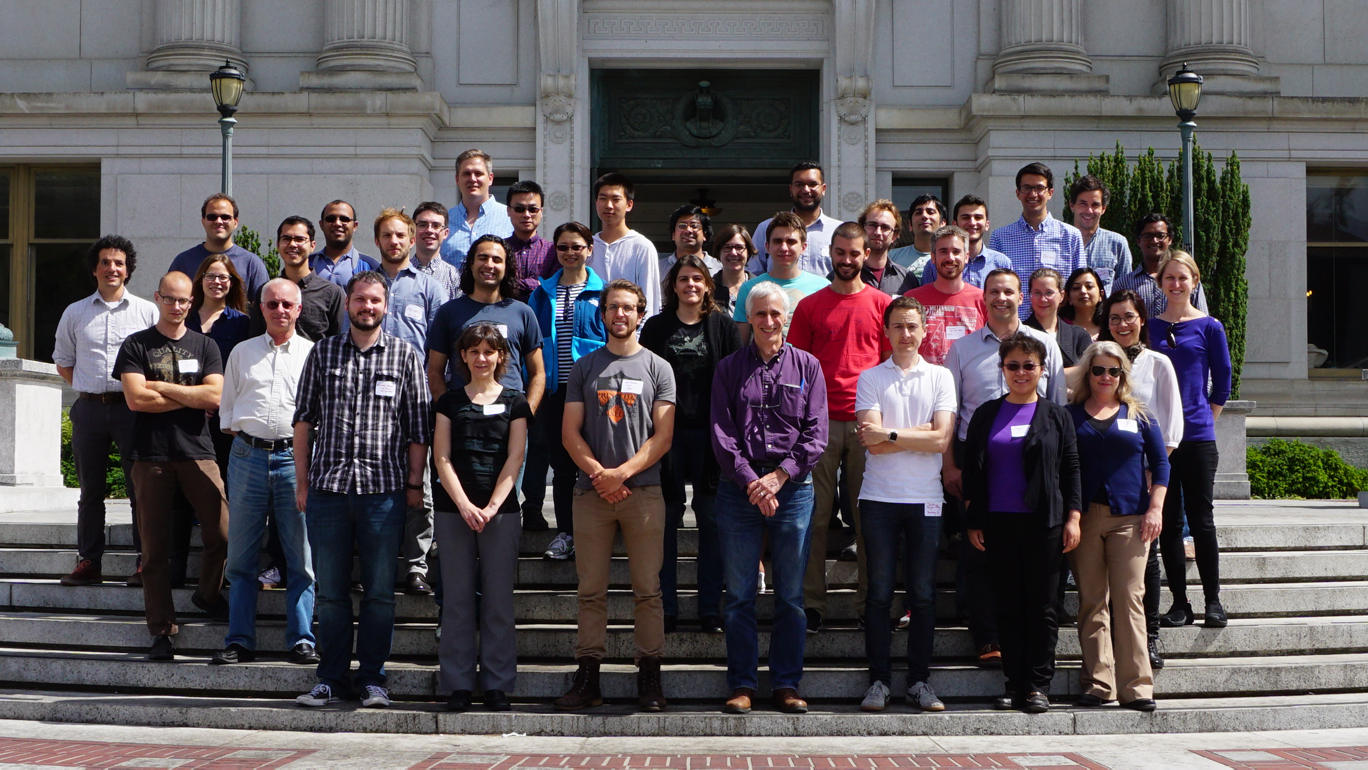
<p><img src="/2017/images/group-photo.png" alt="Group" style="width: 1000px;" /></p>

<p>At the inaugural ImageXD event, held at UC Berkeley’s Institute for Data Science
(BIDS) on June 7-9, 2016, we gathered 50 researchers from 14 institutions
representing expertise in computer vision, microscopy, materials imaging,
photography, earth science, neuroscience, astronomy, software development, and
more.</p>

<p>The common bond between all of these researchers coming from different domains
is that they work with images as a primary source of data. Throughout the event,
we learned from one another while strengthening ties across disciplinary
boundaries and began the development of collaborations that we hope will have a
lasting impact on the image processing community.</p>

<p>The ImageXD event included different emphases each day:</p>

<h3 id="learn">Learn</h3>

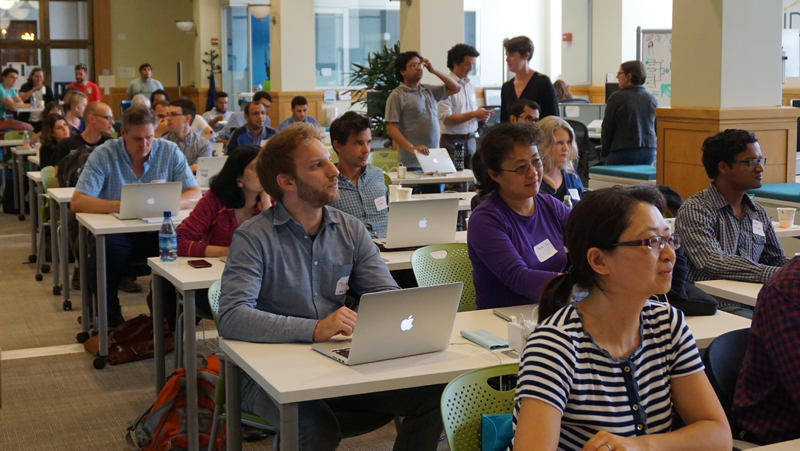
<p><img class="pull-right" src="/2017/images/ImageXD-5.png" style="width: 500px;" /></p>

<p>On Day 1, the <a href="http://scikit-image.org/">scikit-image team</a> provided a
technical workshop introducing methods in python to analyze image data. Their
<a href="https://imagexd.github.io/tutorial/">training materials</a> are all openly
available. Participants who were new to these approaches were
also able to join a two-day
<a href="http://software-carpentry.org/">Software Carpentry</a> workshop ahead of ImageXD
to learn the basics.</p>

<h3 id="discuss">Discuss</h3>

<p>On Day 2, selected speakers shared their expertise before participants broke out
into discussion groups.</p>

<p>The morning speakers addressed topics in computer vision, how we got here, and what to expect in the future:</p>

<ul>
  <li>
    <p>Daniela Ushizima (Lawrence Berkeley National Lab and BIDS):
  <a href="https://www.youtube.com/watch?v=tdg5JcFpALM">From Face Detection to the Faces of Scientific Images</a></p>
  </li>
  <li>
    <p>Jitendra Malik (UC Berkeley):
  <a href="https://www.youtube.com/watch?v=UKY4Y7sHg5g">Deep Visual Understanding from Deep Learning</a></p>
  </li>
  <li>
    <p>Susan Fong (Pixar):
  Image Processing at Scale (video not available)</p>
  </li>
</ul>

<p>The afternoon speakers shared their experience with image data and workflows at
different scales:</p>

<ul>
  <li>
    <p>Ben Bowen (Lawrence Berkeley National Lab):
      <a href="https://www.youtube.com/watch?v=x0SSDNjQr0A">Web-Based Analysis of Mass Spectrometry Data</a></p>
  </li>
  <li>
    <p>Nouamane Laanait (Oak Ridge National Lab):
      Computer Vision Opportunities in Imaging of Materials (video not available)</p>
  </li>
  <li>
    <p>Ned Horning (American Museum of Natural History): <a href="https://www.youtube.com/watch?v=KZmwKbZa0ZI">Earth Science and Image Processing</a></p>
  </li>
  <li>
    <p>Matt Turk (University of Illinois):
  <a href="https://www.youtube.com/watch?v=K3b7-LUkE-o">Imaging and “Me”</a></p>
  </li>
</ul>

<p>Michael Beyeler, a Moore/Sloan Data Science and Washington Research Foundation
Innovation in Data Science Postdoctoral fellows at UWdid an excellent job
summarizing each of the above talks in his
blog post,
<a href="http://www.askaswiss.com/2016/06/imagexd-new-trends-image-processing-computer-vision.html">“ImageXD: New Trends in Image Processing and Computer Vision.”</a>.</p>

<h3 id="create">Create</h3>

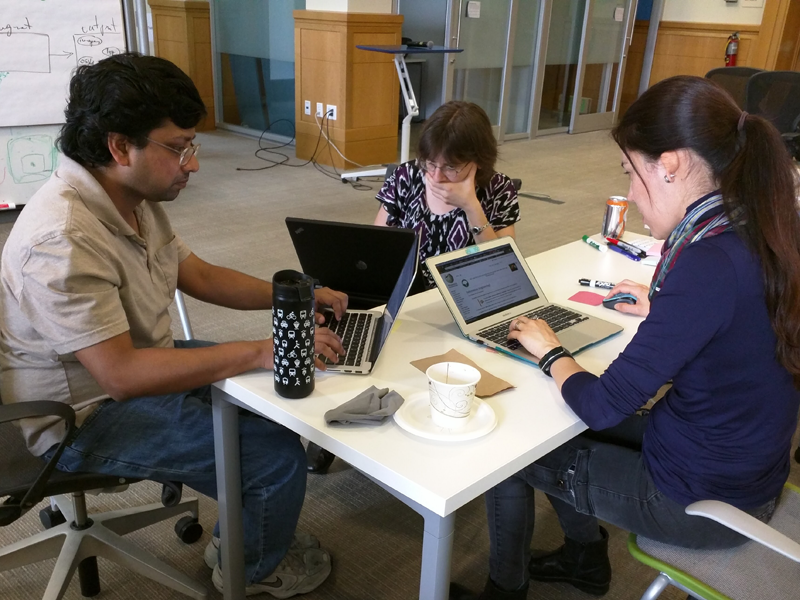
<p>On Day 3, several teams assembled to take on a variety of opportunities in data, software, algorithms, and learning. Some outputs	include the following:</p>

<p><img class="pull-right" src="/2017/images/ImageXD-9.png" style="width: 400px;" /></p>

<ul>
  <li>
    <p>Training: The development of a blueprint that will be used to create a new
Data Carpentry workshop meant to introduce researchers to modern practices
in open source image processing. Borrowing from a number of great resources
and adding a few more, this training will be openly accessible and used by
Data Carpentry’s certified trainers around the world.</p>
  </li>
  <li>
    <p><a href="https://github.com/dani-lbnl/imageXDaugmentation">The Data Augmentation Toolbox</a>: A proof-of-concept for a toolbox that
augments image data sets to create large and noisy training sets for machine
learning applications.</p>
  </li>
  <li>
    <p>Experiments with novel combinations of different software platforms
included an attempt to compile Halide-emitted source code with Cython
(<a href="https://github.com/imagexd/skilide">https://github.com/imagexd/skilide</a>) and experiments in profiling
scikit-image run with dask (<a href="https://github.com/michigraber/skidask">https://github.com/michigraber/skidask</a>).</p>
  </li>
  <li>
    <p>Data analysis projects included face detection implemented in scikit-image
and detection of Aurora Borealis onset in video data.</p>
  </li>
</ul>

<p>At the conclusion of the event, it was apparent that we had hit a sweet spot in
rallying an interdisciplinary group that still had a common bond. One
participant described the ImageXD activities as transformative for their
research, and the scikit-image team noted that they were grateful to have
meaningful interactions with new and seasoned users that will help the community
refine and further develop their application.</p>

<p>Moving forward, the ImageXD organizers, <a href="http://arokem.org">Ariel Rokem</a>
(eScience), <a href="http://vis.lbl.gov/~daniela/">Dani Ushizima</a> (BIDS and LBNL),
<a href="https://bids.berkeley.edu/people/st%C3%A9fan-van-der-walt">Stefan van der Walt</a>
(BIDS), and <a href="https://bids.berkeley.edu/people/kevin-koy">Kevin Koy</a> (BIDS), are
seeking feedback on the inaugural event, but we are also interested in hearing
about things that this community could do in the future (e.g., the organization
of a similar annual event). In the interim, we are working to establish an
online community on <a href="https://imagexd.github.io/">imagexd.github.io</a> to facilitate discussions
among image processing practitioners in different domains and different sectors,
including academia, industry, non-profit, and government research labs. We hope
that this combination of real-life and online forums for discussion will provide
many people with a meeting place, a place to learn more from each and create new
tools, ideas, and knowledge together.</p>]]></content><author><name>Kevin Koy and Ariel Rokem</name></author><summary type="html"><![CDATA[Incredible advances are being made in image processing techniques and tools, but the researchers who use them typically don’t have the opportunity to communicate with others who work on similar problems in different domains. ImageXD was founded by Berkeley and Washington partners from the Moore-Sloan Data Science Environments (MSDSE) to address these challenges.]]></summary></entry></feed>